Introducing Incognia MCP Server: Bringing Fraud Investigations Into AI Workflows
Fraud investigations often require analysts to connect evidence across devices, accounts, risk assessments, feedback, and historical activity. Incognia MCP Server is being introduced to bring that risk intelligence into compatible AI applications and help analysts investigate from the tools they already use. The goal is to reduce manual investigation work and help teams reach the root cause faster.
Subscribe to Incognia’s content
Fraud investigations rarely end with a single suspicious event.
An analyst may start with one unusual risk assessment, then need to understand what happened across devices, accounts, fraud feedback, watchlists, rules, policies, and historical activity before they can explain why a decision was made.
That process takes more than access to the data.
Analysts need to know where to look, which searches and filters to run, how devices and accounts are connected, and how Incognia’s product behavior or policy configuration affects the evidence.
As fraud teams bring AI further into their workflows, the same investigation challenge follows them.
Giving an AI application access to raw data is only part of the equation.
To help with an investigation, it also needs the risk intelligence, product context, and evidence required to understand what happened.
Introducing Incognia MCP Server
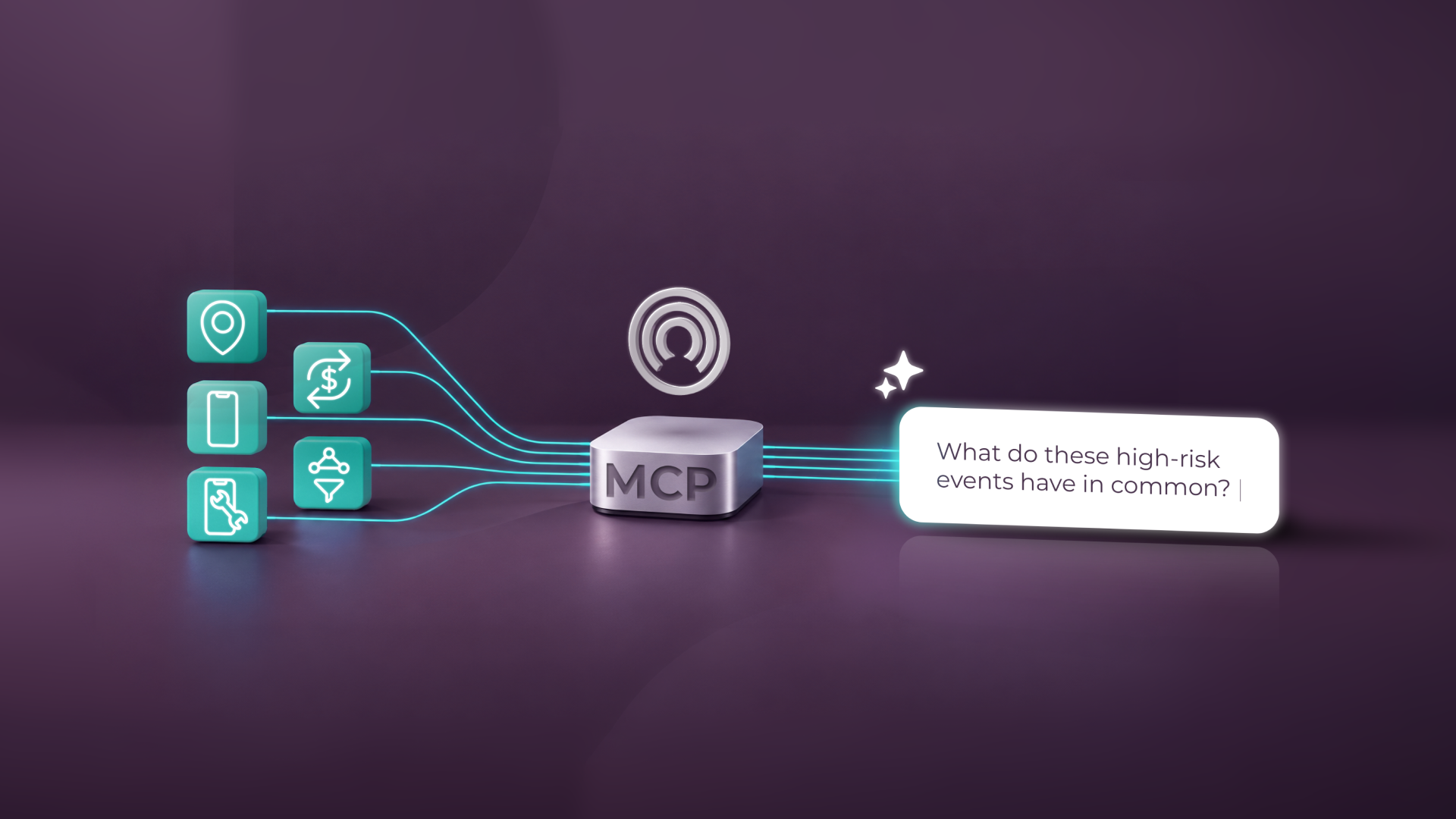
Incognia MCP Server will give customers a way to connect Incognia risk intelligence to compatible AI platforms and applications their teams are already comfortable using.
Through that connection, AI applications and agents will be able to use Incognia risk intelligence and supported investigation capabilities available across the Incognia dashboard to assist with fraud investigations.
This means analysts can start an investigation from the AI interface they already use, rather than manually moving between different Incognia views, searches, and filters to assemble the evidence themselves.
Incognia-specific skills and product knowledge help the agent make sense of what it retrieves. They give the agent context on how Incognia concepts fit together, what information is relevant to a particular investigation, and how risk assessments, devices, accounts, feedback, watchlists, rules, policies, and historical activity relate to one another.
MCP provides the connection into the AI workflow. The value comes from what the agent can do with Incognia risk intelligence once that connection is available.
Start with the question you need answered
Today, investigating an unexpected result may require an analyst to search across several parts of the Incognia dashboard and manually connect what they find.
With Incognia MCP Server, the workflow can start differently.
The analyst will be able to begin with the investigation question itself from an AI application.
For example:
“Why did this account receive High Risk and then Low Risk a few minutes later?”
From there, the agent can retrieve the relevant Incognia evidence needed to investigate the difference.
It might identify the associated risk assessments, trace which devices and accounts were involved, check fraud feedback or watchlist history, review the relevant rules and policies, and use Incognia product knowledge to interpret the results.
Rather than asking the analyst to assemble every piece manually, the agent can organize that evidence into an investigation for the analyst to review.
What an AI-assisted investigation can uncover
For example, an account might receive two different risk outcomes within a few minutes.
The analyst could ask the agent to explain why the outcomes were different.
The agent would first retrieve the two assessments and compare them. It could then trace the devices and accounts involved, check whether those devices had different watchlist states or fraud feedback, and review any relevant historical activity.
If the assessments were tied to different devices, the agent could investigate each device separately to understand what changed. It could also review the rules and policies associated with each decision.
From there, the agent can organize the evidence into a clear explanation of what happened, what likely caused the different outcomes, and what questions still need analyst review.
The goal is not just to generate an AI answer. It is to help the analyst review the Incognia evidence behind the result, understand what happened, and decide what needs attention next.
Keep the analyst in control
Incognia MCP Server will initially support read-only access.
AI applications will be able to retrieve and analyze supported Incognia information to assist with an investigation, but they will not be able to make changes such as modifying rules, submitting fraud feedback, or changing risk decisions.
The analyst remains responsible for reviewing the evidence, validating the conclusion, and deciding what action should follow.
Depending on the investigation, that could include adding or removing a device or account from a watchlist, submitting fraud feedback, adjusting a rule or policy, or creating a case analysis with references to the supporting evidence.
Those actions stay with the analyst. The agent’s role is to help retrieve, connect, and organize the evidence needed to make that decision.
What this can mean for fraud teams
Fraud analysts spend significant time searching, filtering, navigating between views, and assembling evidence before they can understand the root cause of suspicious activity.
Incognia MCP Server is designed to reduce much of that manual work.
By helping AI applications retrieve, connect, and interpret Incognia evidence, analysts can spend less time gathering information and more time reviewing what it means.
That can help teams reach the root cause of an investigation sooner and move more quickly from investigation to response.
The intended value is concrete: less manual evidence assembly, faster investigations, and shorter time between identifying suspicious activity and deciding how to respond.
Bringing Incognia risk intelligence into AI workflows
Fraud teams already use Incognia risk intelligence to investigate suspicious activity and understand why particular risk outcomes occur.
As AI becomes another interface for fraud and risk work, that intelligence needs to be accessible where analysts are asking those questions.
Incognia MCP Server is being introduced to bring Incognia risk intelligence and investigation context into AI applications and agents, helping fraud teams investigate with less manual evidence assembly and move from question to root cause faster.
Incognia MCP Server is being introduced as part of a phased rollout.
Existing Incognia customers can contact their account team to learn more about setup details and relevant investigation use cases.
Frequently asked questions
What is an MCP server for fraud investigations?
An MCP server can connect AI applications and agents to fraud and risk information they can use during an investigation. In Incognia’s case, the MCP Server is being introduced to give AI applications access to Incognia risk intelligence and supported investigation capabilities.
How can AI help fraud analysts investigate suspicious activity?
AI can help reduce the manual work involved in gathering and connecting evidence. With Incognia MCP Server, AI applications will be able to retrieve relevant risk assessments, trace connections between devices and accounts, review fraud feedback, watchlist history, rules, policies, and other supported evidence, then organize the findings for analyst review.
How does Incognia MCP Server work?
Incognia MCP Server will connect Incognia risk intelligence to AI platforms and applications. Analysts will be able to start with a natural-language investigation question, while the agent retrieves and connects relevant Incognia information to help explain what happened and why.
Can AI agents make fraud decisions through Incognia MCP Server?
Not initially. Incognia MCP Server will first support read-only access. AI applications can retrieve and analyze supported Incognia information, but actions such as modifying rules, submitting fraud feedback, or changing risk decisions will remain with the analyst.